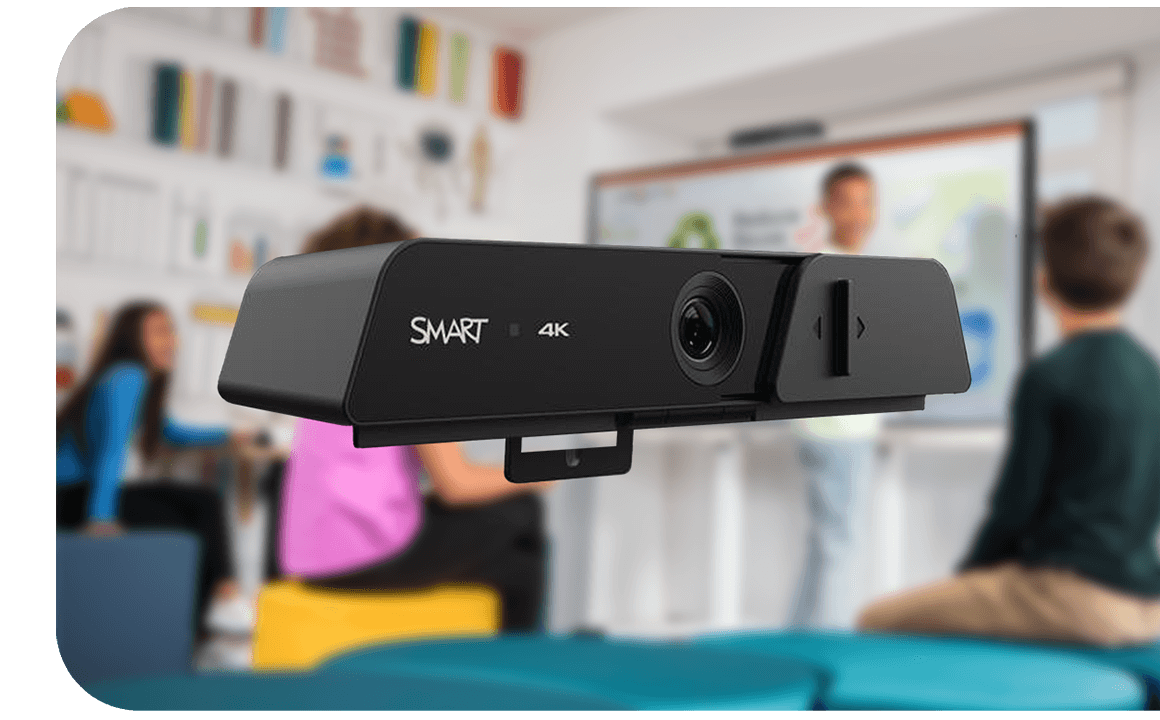
SMART Ultra HD Camera 120
Enjoy a rich, immersive visual experience designed to meet the high-quality videoconferencing needs of the hybrid classroom.
Add to any SMART Board® interactive display with integrated microphone array.
Book a demo
The SMART interactive display with camera-powered connection
- Enjoy AI-based auto-framing in 4K UHD with 10x digital zoom, and a wide 120° field of view.
- Effortless setup: Simple setup with one cable and included screw.
- Wide-compatibility: Compatible with all mic-array enabled SMART interactive displays.
- Privacy ensured: Every camera comes with a sliding shutter to guarantee privacy.
SMART Board camera-compatible displays
Explore supported SMART Board interactive displays below or upgrade any SMART display with an integrated mic array to deliver a consistent experience across your classrooms.


Frequently Asked Questions
-
What is a SMART Camera, and what does it do in the classroom?The SMART Camera is a 4K Ultra HD camera designed to enhance classroom video. It uses AI-powered auto-framing and a wide field of view to keep teachers and students clearly visible, helping create a more engaging experience for remote learners.
-
How does an interactive display with a camera support hybrid learning?An interactive display with a camera makes it easy to connect in-person and remote students. With high-quality video, wide-angle coverage, and seamless integration with conferencing tools, it helps ensure everyone can see, hear, and participate equally.
-
Is it difficult to set up the SMART Board camera?No, the SMART Board camera is designed for quick and simple setup. It mounts directly to compatible displays and connects with a single cable, so teachers and IT teams can get it up and running with minimal effort.
-
What features should I look for in an interactive display with a camera?Look for features like 4K video resolution, a wide field of view, AI auto-framing, and easy installation. Built-in privacy features, such as a physical camera cover, also add peace of mind when the camera isn’t in use.
-
Does the SMART Ultra HD Camera protect user privacy?Yes, the SMART Ultra HD Camera 120 includes a built-in sliding cover, making it easy to physically block the lens when the camera isn’t in use, giving teachers and students confidence that their privacy is protected.