
Write. Point. Teach. Anywhere.
SMART MultiStylus
The all-in-one tool that stays ready, moves with you, and unlocks hands-on learning. The SMART MultiStylus untethers you from the board, giving you the freedom to engage with students 1:1 while maintaining full control of your lesson. It's more than a pen—it's your classroom remote, slide clicker, and creative wand, all in one.
Book a demo-
Key specifications
-
Features
-
Compatible models
The instructional tool that does it all


Always ready, always yours.
The super-capacitor design with patented wireless quick charge means you never run out of juice.

Walk. Talk. Teach.
Untether from the board and keep engagement high.

Bring hands-on engagement to more classrooms by unlocking tactile interactions on your existing MX series displays.
Key features that make up your SMART MultiStylus


Compatible SMART Board models that work with SMART MultiStylus


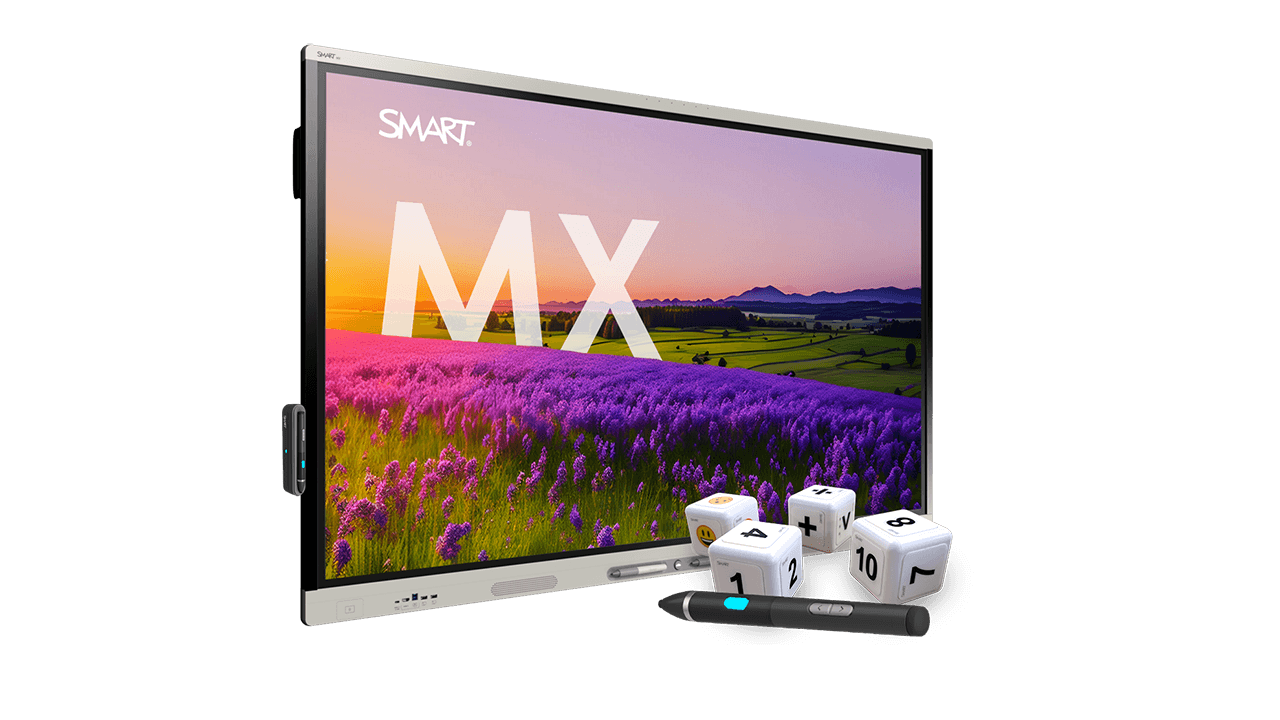
Accessibility isn't optional - it's essential.
Inclusive design supports every learner. iQ's Tool Explorer and Digital Manipulatives unlock diverse methods of action and expression, ensuring every learner can demonstrate their understanding through flexible, interactive pathways - because every learner deserves a voice.
Discover Tool Explorer accessoriesExplore inclusive learning tools-

Always ready, always yours.
Write your way. Pressure inking and fine erasing give you the most precise inking experience. Save your settings for ink, highlighter, color, and width. All designed to feel natural, precise, and familiar to teachers.
Book a demo

Find the perfect fit for your modern classroom.

Which display is right for your classroom?
Check out the SMART Board Selector and get a personalized recommendation for your ideal display.
Find your display
Find your perfect fit.
Choose the SMART display that checks every box. Connect with an experienced SMART guide for a quote tailored to your needs.
Request a quote
See our displays in action.
Experience the ease of use and industry-leading interactivity with a personalized demo by one of our experts.
Book a demoFrequently asked questions
-
What is the SMART MultiStylus?
The SMART MultiStylus is an all-in-one teaching tool that combines a programmable multi-color pen, remote, and air mouse into a single device. It lets teachers write naturally, control lessons from anywhere in the room, and unlock hands-on learning tools on compatible SMART Boards.
-
Does the SMART MultiStylus need batteries?
No. The SMART MultiStylus uses a battery-free super-capacitor design, so there are no batteries to replace, no battery waste, and no downtime caused by dead devices.
-
How long does the SMART MultiStylus take to charge?
Just one minute of charging gives up to one hour of use. A full charge takes six minutes, making it ideal for back-to-back classes and busy teaching schedules. Powered by patented wireless fast-charging – ONLY with SMART.
-
Which displays work with SMART MultiStylus?
The SMART MultiStylus is:
- Fully integrated with SMART Board iQ 4 displays such as the RX series
- Compatible with MX V5 to unlock Tool Explorer features, no drivers or extra setup required.
-
Can teachers move around the classroom while using it?
Yes. With Air Mouse mode, teachers can control the display, navigate slides, and guide attention from anywhere in the room, without returning to the board.
-
What is Air Mouse mode?
Air Mouse mode turns the SMART MultiStylus into a motion-controlled pointer. Teachers can move freely, control content, and keep students engaged without switching devices.
-
Can I use the SMART MultiStylus as a slide clicker?
Yes. Built-in slide navigation buttons let teachers move forward or backward through slides instantly - no remote required.
-
Is the SMART MultiStylus customizable?
Absolutely. Teachers can:
- Personalize ink color and width
- Use pressure-sensitive writing and fine erasing
- Program shortcut buttons to launch apps or tools
It adapts to each teacher's style, not the other way around.
-
Does it work with SMART Ink?
Yes. On Windows and Mac, SMART Ink allows teachers to write into almost any application. The SMART MultiStylus adds pressure-sensitive inking and personalization for a natural pen-on-paper feel.
-
How does SMART MultiStylus support accessibility?
SMART MultiStylus unlocks Tool Explorer on MX series displays, enabling tactile learning with Stamps and Cubes (sold separately). These physical tools provide accessible entry points for diverse learners and multiple ways to engage with content.
-
What is Tool Explorer and how does MultiStylus unlock it?
Tool Explorer is SMART’s tactile learning platform. The SMART MultiStylus enables automatic recognition of Tool Explorer accessories on compatible displays - no setup required - expanding hands-on learning without replacing panels.
-
Is SMART MultiStylus easy for IT to manage?
Yes. It's designed to be maintenance‑free:
- No batteries
- No drivers
- No cables
- Durable construction
This reduces IT workload and ensures predictable performance across classrooms.
-
Is SMART MultiStylus future-ready?
Yes. It's built to align with emerging accessibility standards and environmental compliance requirements, helping districts meet future regulations without additional hardware changes.
-
Who is SMART MultiStylus best for?
SMART MultiStylus is ideal for:
- K–12 teachers who want to move freely and stay engaged
- Schools reducing IT maintenance and battery waste
- Districts expanding hands on and accessible learning
- Classrooms using SMART Board iQ 4 or MX series displays